
Work-order software for sprinkler repair businesses
Track a sprinkler repair from the first call to the finished job.
Keep the customer's description, the technician's notes, and the completion update with the same request.
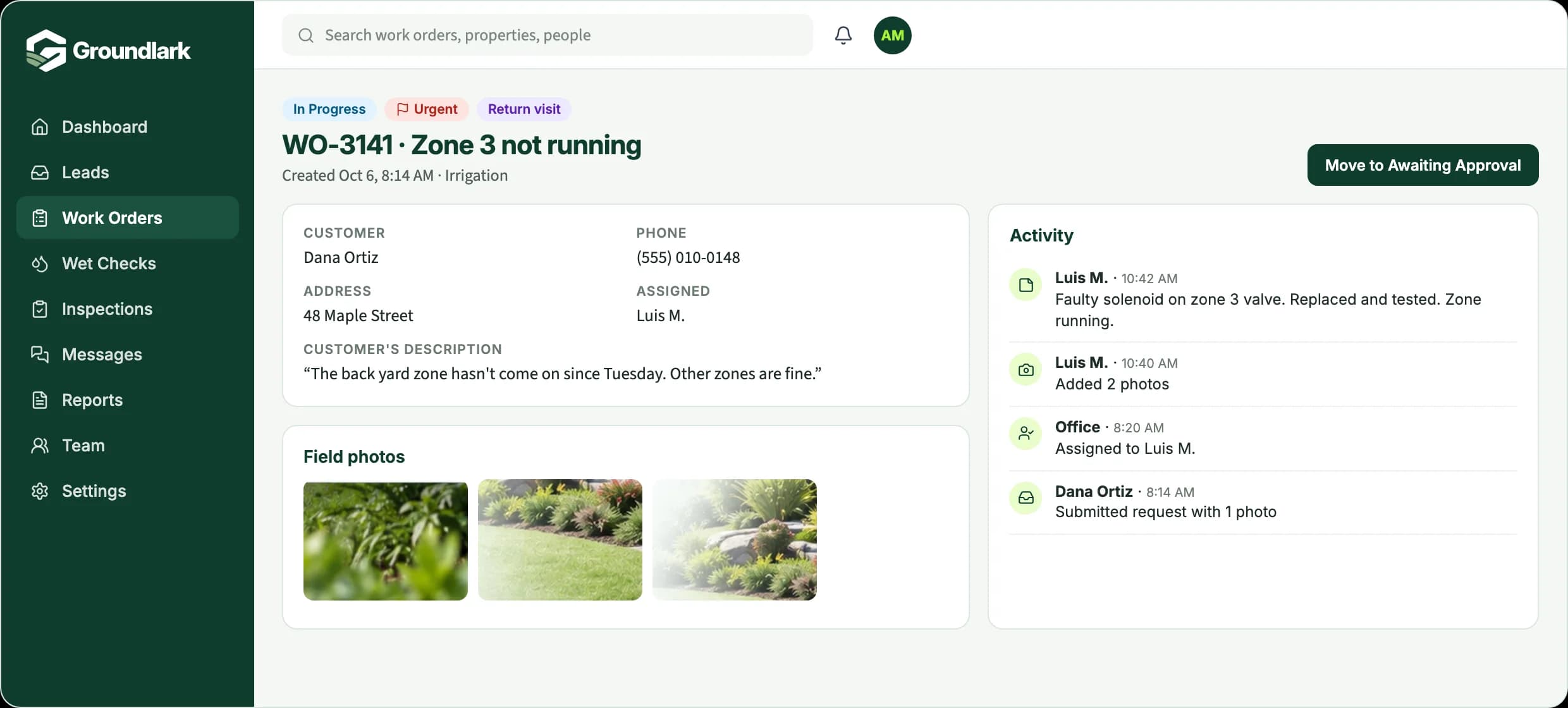
WO-3141
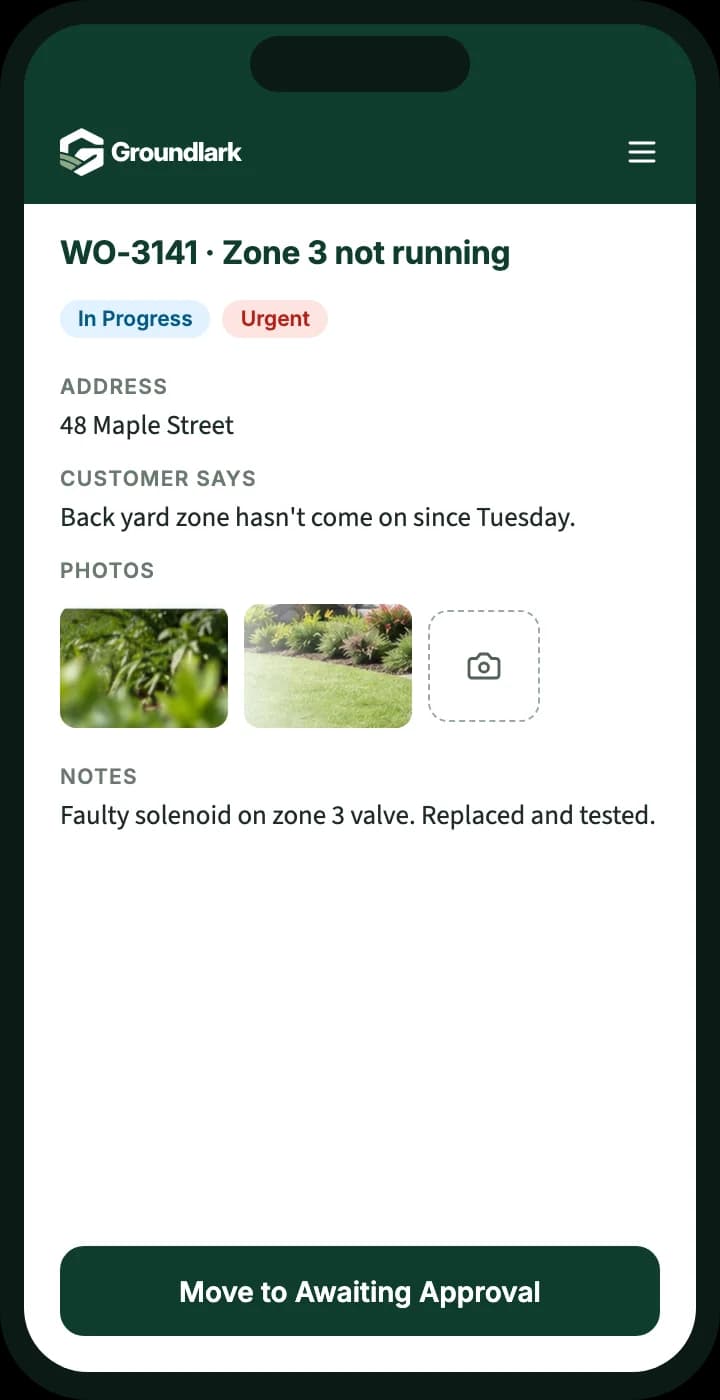
Zone 3 not running
Homeowner, Maple Street
Problem reported
“The back yard zone hasn't come on since Tuesday.”
Customer
Request recorded and assigned
AssignedAssigned to a technician with the customer's description attached.
Office
Diagnosis and repair
Faulty solenoid on zone 3 valve. Replaced and tested. Two photos added.
Technician
Customer updated
FinishedRepair confirmed as finished. Notes saved with the property.
Office
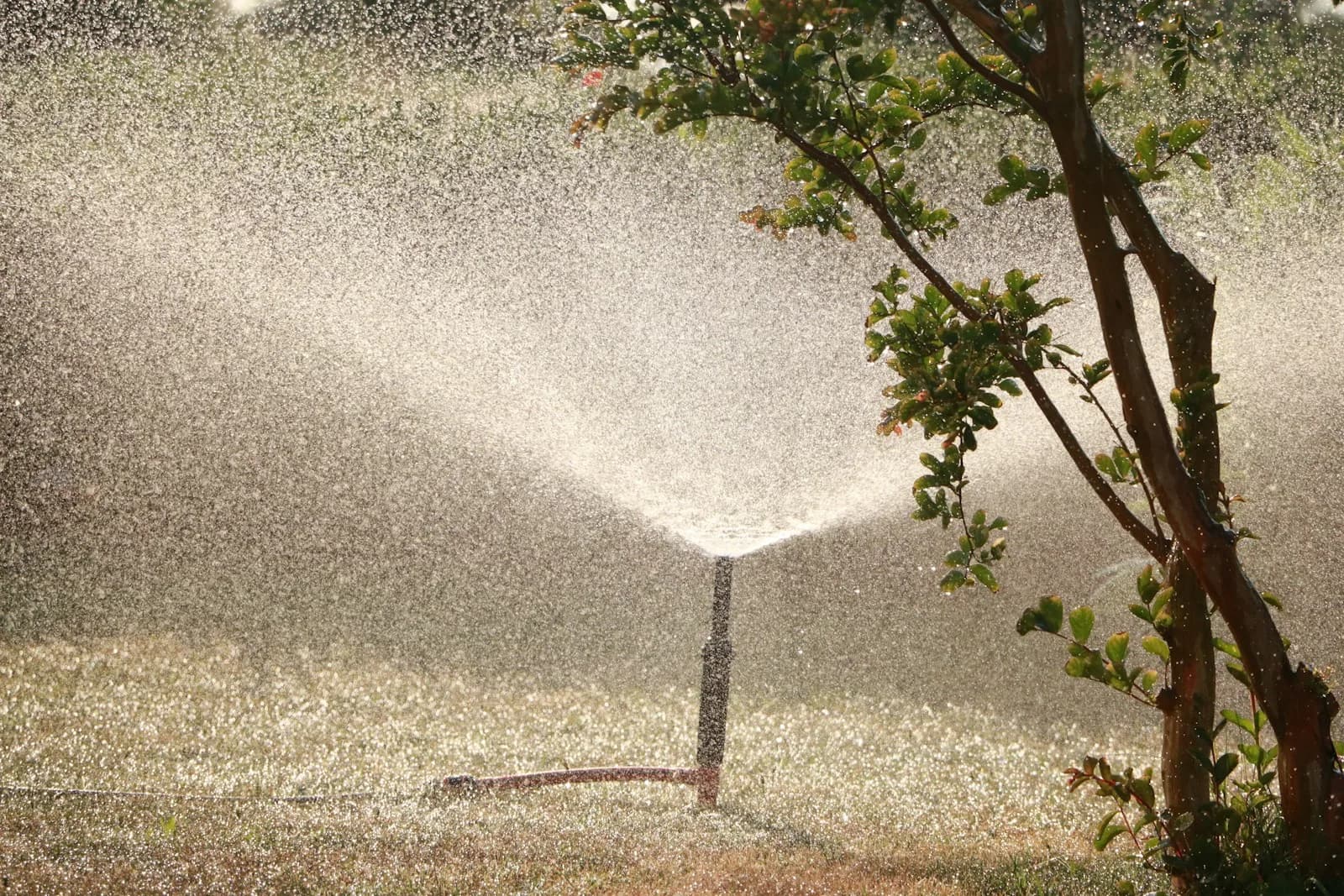
Sprinkler repair software that follows the job, not just the appointment
A sprinkler repair starts with a customer describing a problem in their own words: a dry patch, a geyser by the driveway, a zone that won't come on. Groundlark keeps that description with the job, so the technician arrives knowing what was reported and the office knows exactly where the repair stands.
When the work is done, the technician's diagnosis, photos, and notes are already on the request. If the problem needs a second visit, the next technician can see what was already tried. When the job closes, your customer gets a completion update with photos and a simple way to tell you whether it's resolved.
The repair calls you handle every week
Broken heads and leaking pipes.
A zone that won't run, or a valve that won't shut off.
A controller that isn't watering on schedule.
A second visit for an issue that wasn't resolved the first time.
How it works in Groundlark
The office and the field, on the same job.
In the office
- Log the call with the customer's description and photos
- Assign the repair and flag urgent jobs
- See what's in progress, waiting on approval, or finished
- Text or email the customer from the job, with internal notes kept private
In the field
- Open the job on a phone with the address and the customer's description
- Add diagnosis notes and photos as the work happens
- Move the job forward when the repair is finished
- See past repairs at the same property
Every request, from report to finished.
- Outcome 01
What the customer reported
Their description stays with the job, so the technician arrives knowing the problem.
- Outcome 02
What the technician found
Diagnosis, repair notes, and photos are recorded against the same request.
- Outcome 03
What's finished and what's not
See completed repairs separately from jobs that still need a return visit.
What you can track
The customer's words, kept
The original description and any photos the customer sent stay with the request.
Urgent jobs stand out
Flag urgent repairs and add labels like “Return visit” so the office can sort and filter quickly.
Field photos
Technicians attach photos from their phone, and the office sees them immediately.
Completion updates
When a job closes, the customer receives an update with notes and photos and can reply that it's resolved or still needs attention.
Two-way texting
Conversations with customers stay on the work order, and STOP opt-outs are respected.
Repair history
Every change, note, and status update is recorded, so you can see what happened on any job.

Why one record helps
One request, start to finish
From the first call to the closeout, everyone works from the same record instead of separate texts and notes.
Return visits that make sense
If an issue needs a second visit, the next technician can see what was already tried.
Repair history by property
When the same customer calls again, the earlier repairs are right there.
Built from real field work.
Groundlark grew out of a work-order system built for an operating landscape company, where requests, office and crew updates, photos, and approvals were part of the daily routine.
Set up with a person, not a blank account.
We work with you to understand your operation, configure the agreed workflows, and prepare your team to use Groundlark. Every customer completes assisted onboarding before operational access is activated.
How onboarding worksSee it for your work
Request a workflow example.
Tell us a little about how your team handles requests today, and we'll send you a short example of how it would work in Groundlark.
How do you keep track of repair requests today?
Questions
Can customers text us back?
Yes. Text and email conversations stay attached to the work order, so the whole team sees the history. Customers who reply STOP are opted out of texts.
Does Groundlark handle invoicing or route planning?
No. Groundlark focuses on requests and the work that follows: intake, assignment, field updates, photos, approvals, and customer communication. It doesn't create invoices or plan routes, so it can sit alongside the tools you already use for those.
How would the office and field team use it?
Groundlark is a cloud web application, so the office works from a computer and technicians or crews use a browser on their phone. There is nothing to install. Native iPhone and Android apps are planned for later.
What does getting started involve?
Every customer starts with assisted onboarding. We talk through how your team handles requests today, set up the agreed workflows with you, and train your team before your account goes live.